Fixed and variable rate
Business miles set the variable payment and document the annual mileage FAVR requires.
Explore FAVRStart with your details, then answer a few questions about your program.
Mileage tracking
Your team has places to be. mLog captures trips in the background, lets drivers separate business from personal in a swipe and keeps the record your program needs, from FAVR to cents per mile.
Works with every reimbursement program
The direct answer
mLog is mBurse’s mileage tracking app for employers with 5 or more drivers. It works on iOS and Android, keeps personal trips private, and is included in plans starting at $14 per driver per month. Employees capture trips on their phones, classify business travel and submit mileage for review. Teams then use approved miles in their reimbursement program. Explore the driver screens, privacy controls and connected workflow below.
How it works
Give drivers a short routine and managers a clear review process, so mileage doesn't become another month-end project.
Automatic trip capture follows the driver’s tracking settings. Employees can also add or correct trips by hand.
Drivers classify trips as business or personal and add the required business details before submitting mileage.
mWatch reviews submitted business mileage and highlights possible mistakes, such as night or weekend travel. Managers review the context; a timing flag does not automatically reject a trip.
Approved miles flow to FAVR, cents per mile, allowances or vehicle logs, then to payroll.
See the app
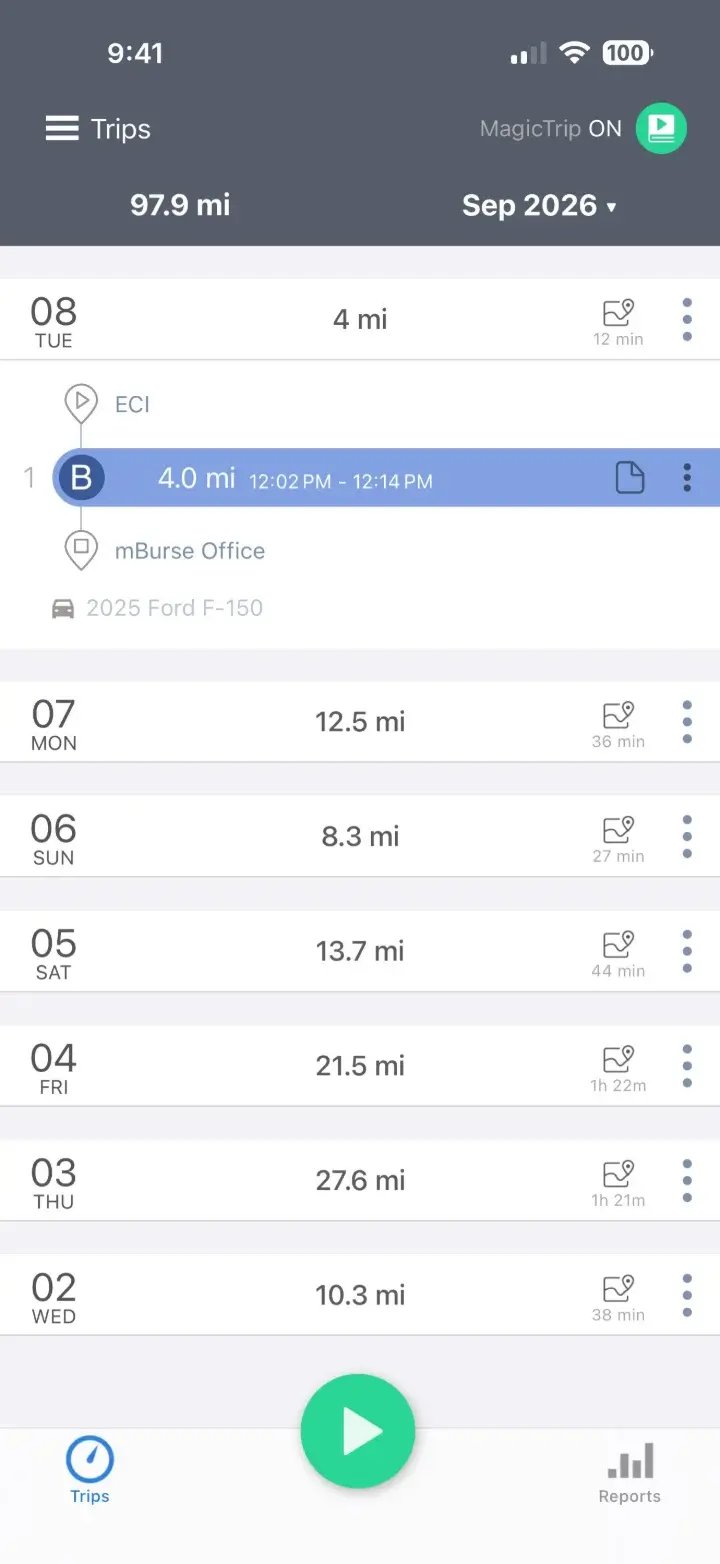
Drivers capture trips, classify them as business or personal, and submit business mileage for review. These phone screens show the driver’s view; personal trips are not shared with managers.
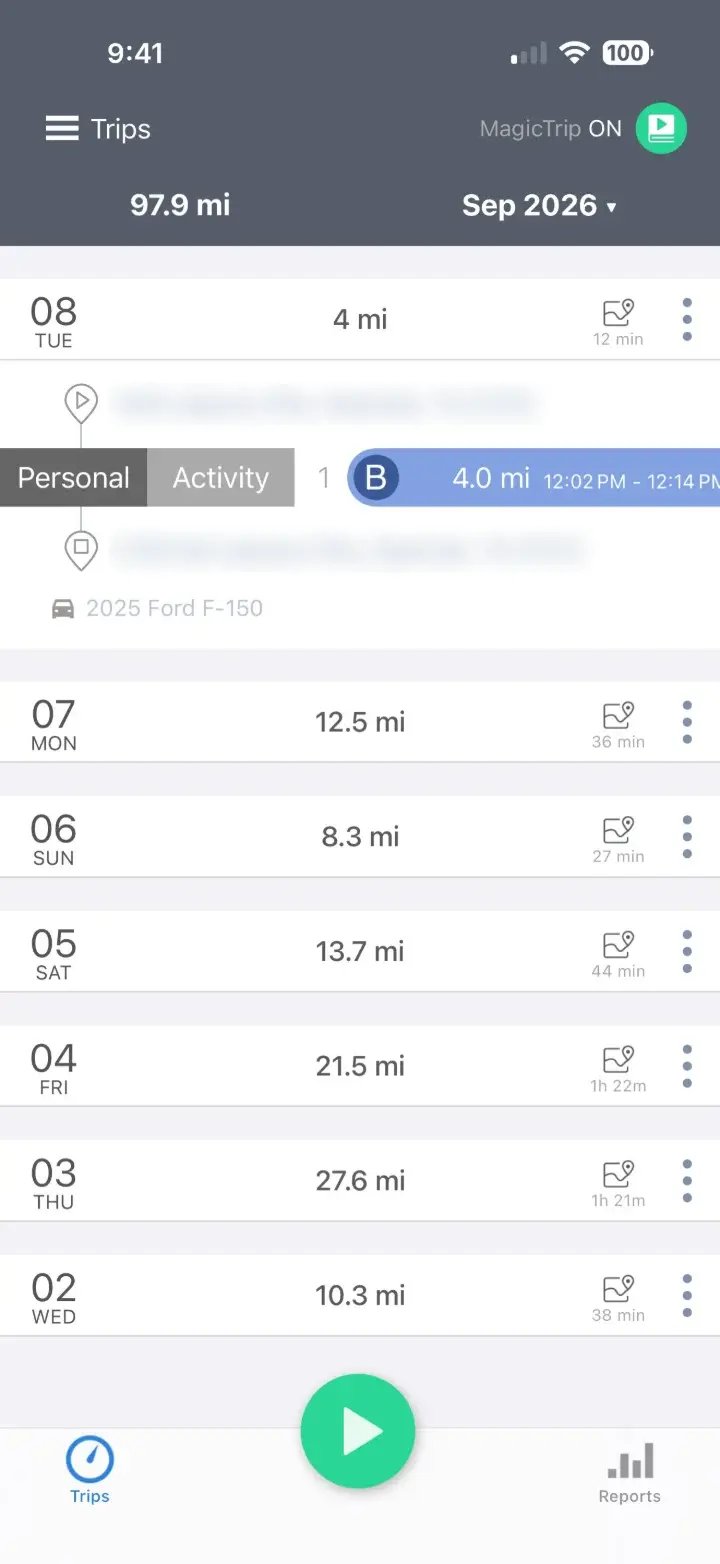
Mark each trip business or personal while the drive is still fresh.
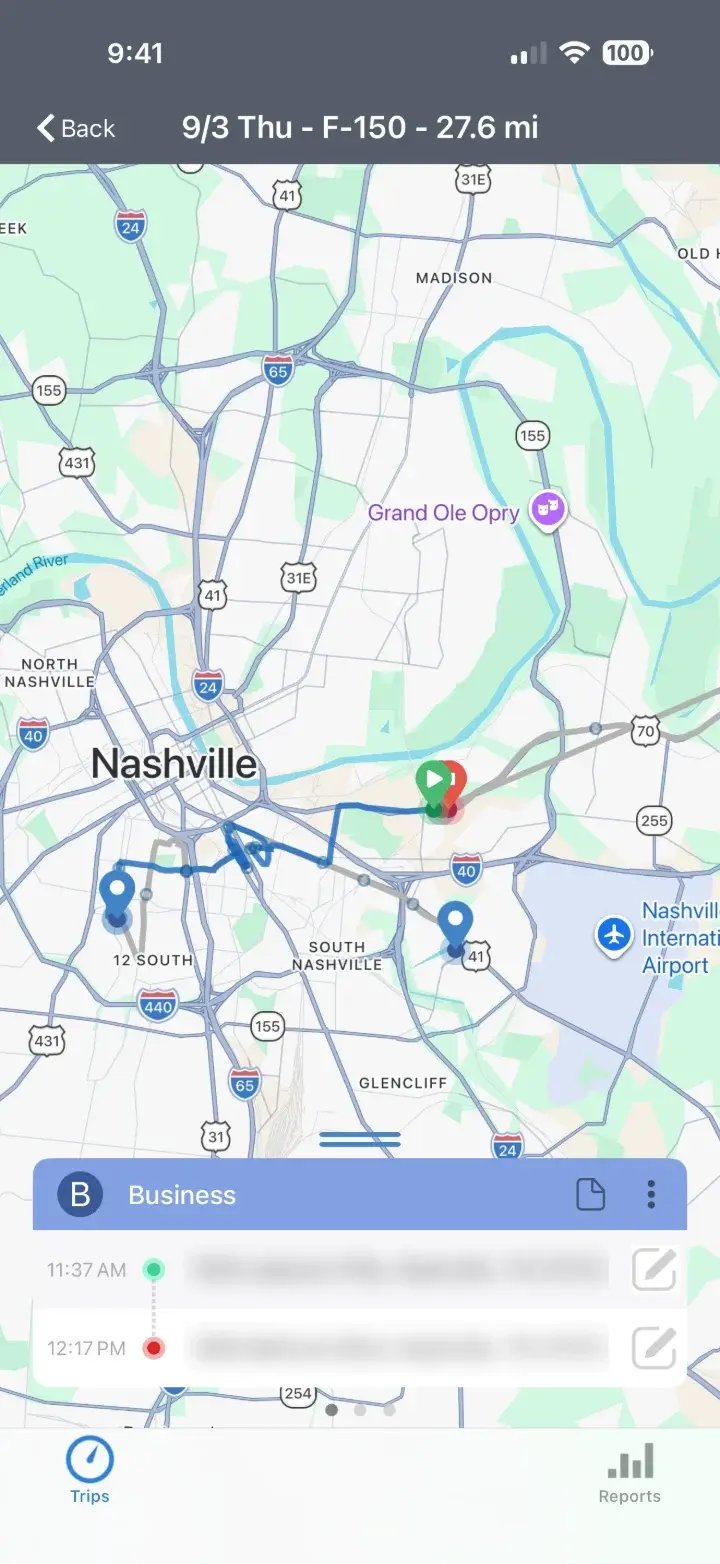
View each day's trips, then scroll to see details and edit a trip.
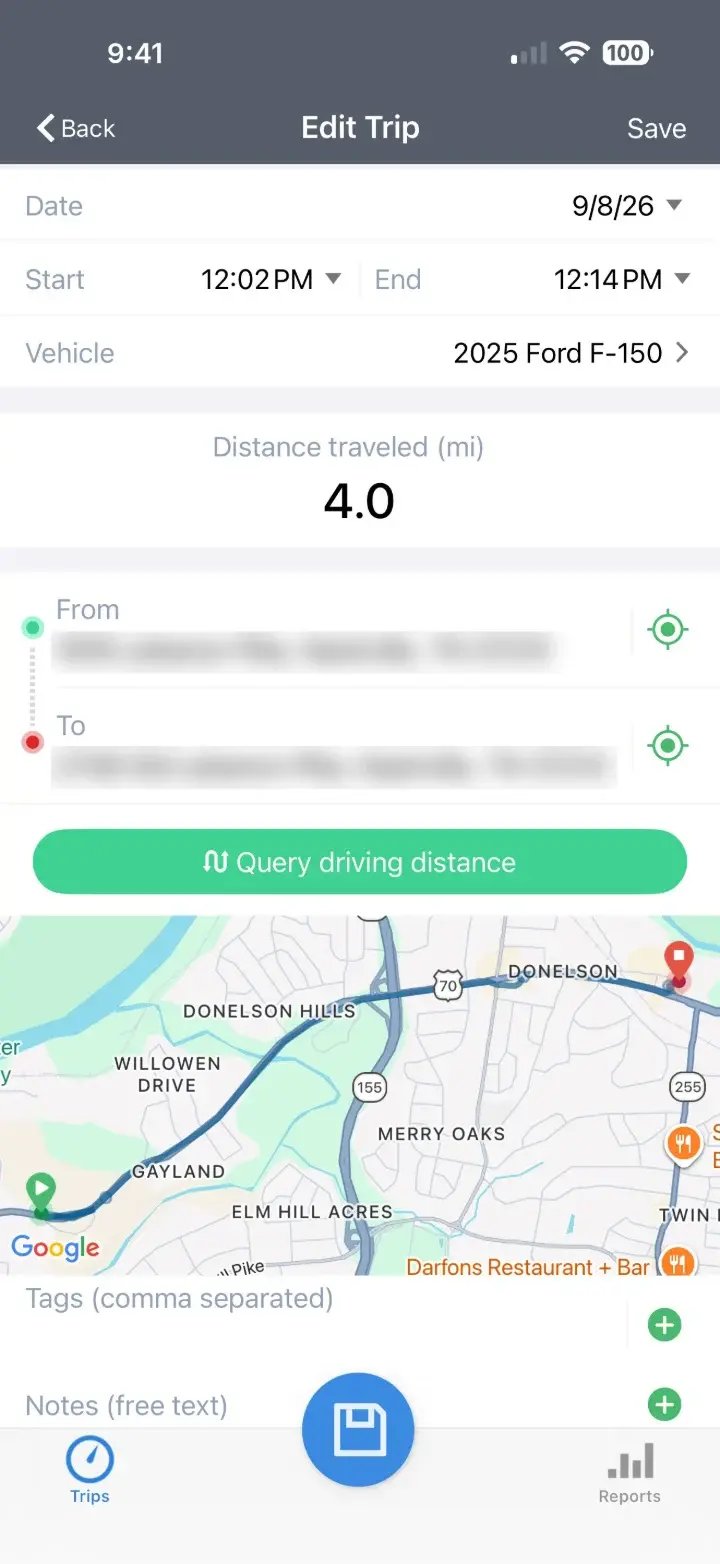
Add tags and notes, so no one has to rebuild a trip later.
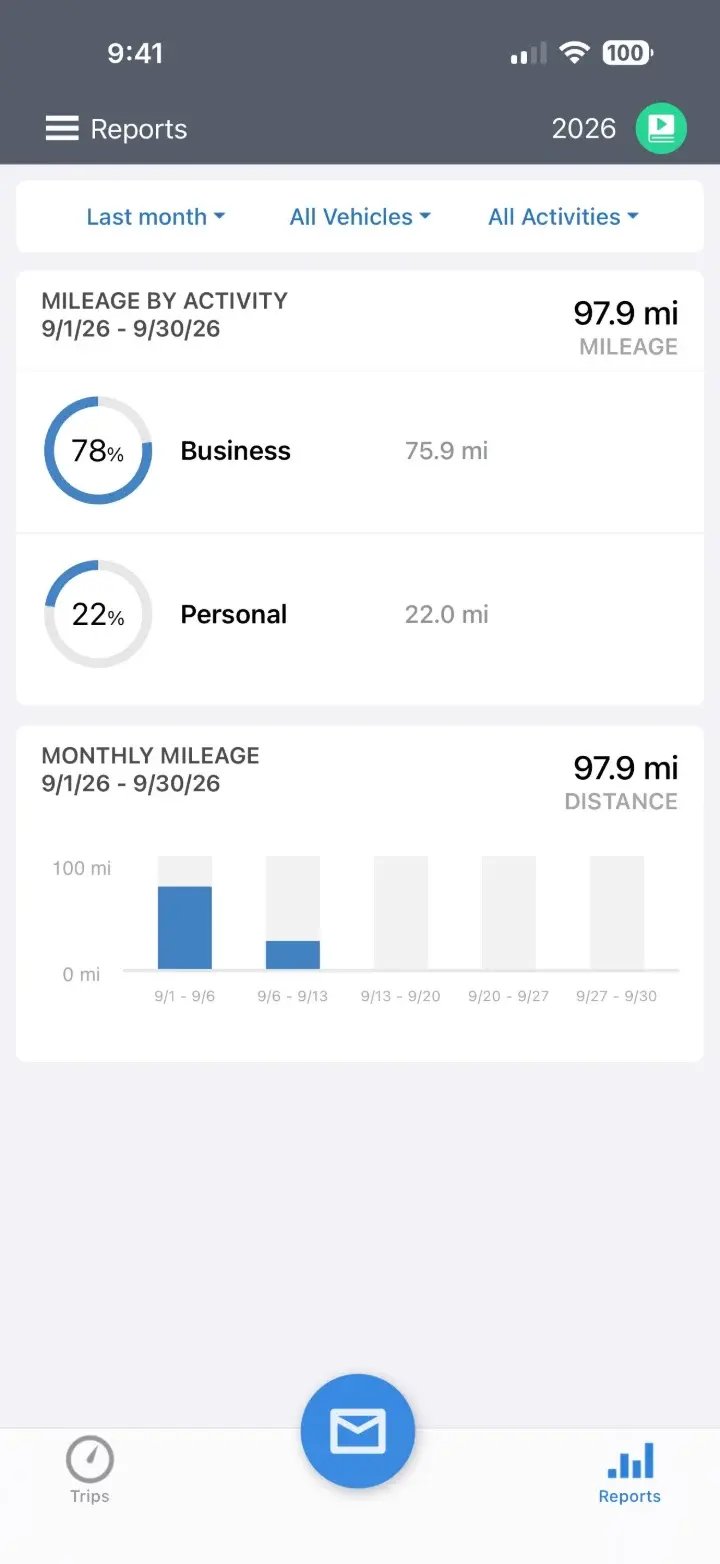
Filter your own records by month or date range to see business and personal mileage.
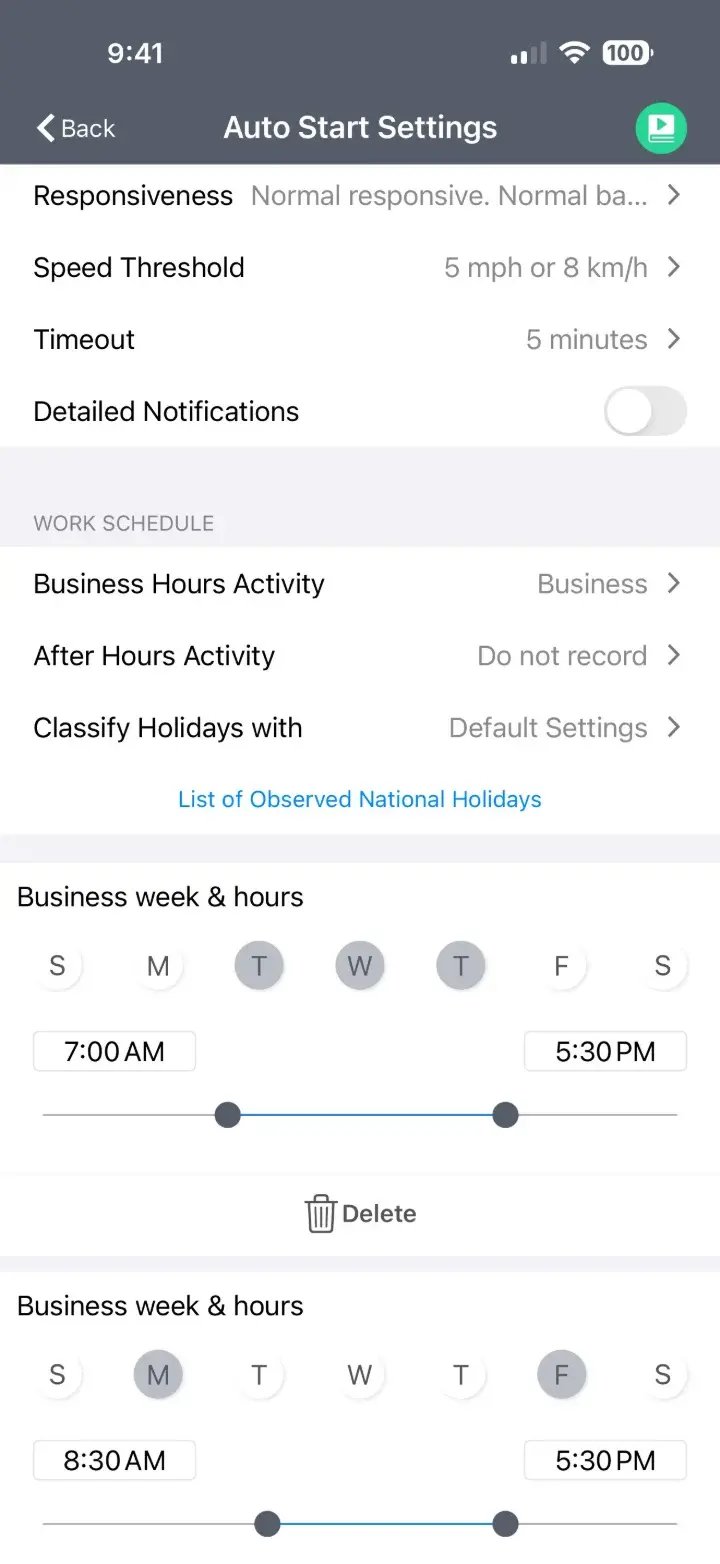
Current mLog app screenshots. Addresses are blurred. These are driver views; manager review is limited to submitted business mileage.
Built for every program
Drivers use one app. Each program gets the mileage record it needs, so you can run more than one method side by side.
Business miles set the variable payment and document the annual mileage FAVR requires.
Explore FAVRApproved trips are paid at the right rate for each travel date, including midyear IRS changes.
Explore cents per mileMileage records substantiate a monthly allowance, so it can be paid tax-free.
Explore allowancesDrivers log business and personal use, giving you the record needed for personal-use reporting.
Explore fleet alternativesPrivacy by design
Trip capture, classification and submission are separate steps. Drivers classify their records and submit business mileage for review. Personal trips are not visible to managers. Personal trip data is encrypted, so trips employees keep personal stay private.
Features
Four things do most of the work. The rest is there when your program needs it.
Trips record in the background, so drivers don't have to remember to press start.
Swipe a trip to mark it business or personal. Frequent trips can follow a rule.
Personal trips stay private. Business trips submitted outside normal work hours may be flagged for manager review.
mWatch flags weekend, off-hours and unusual trips, so managers review exceptions, not every trip.
Also included
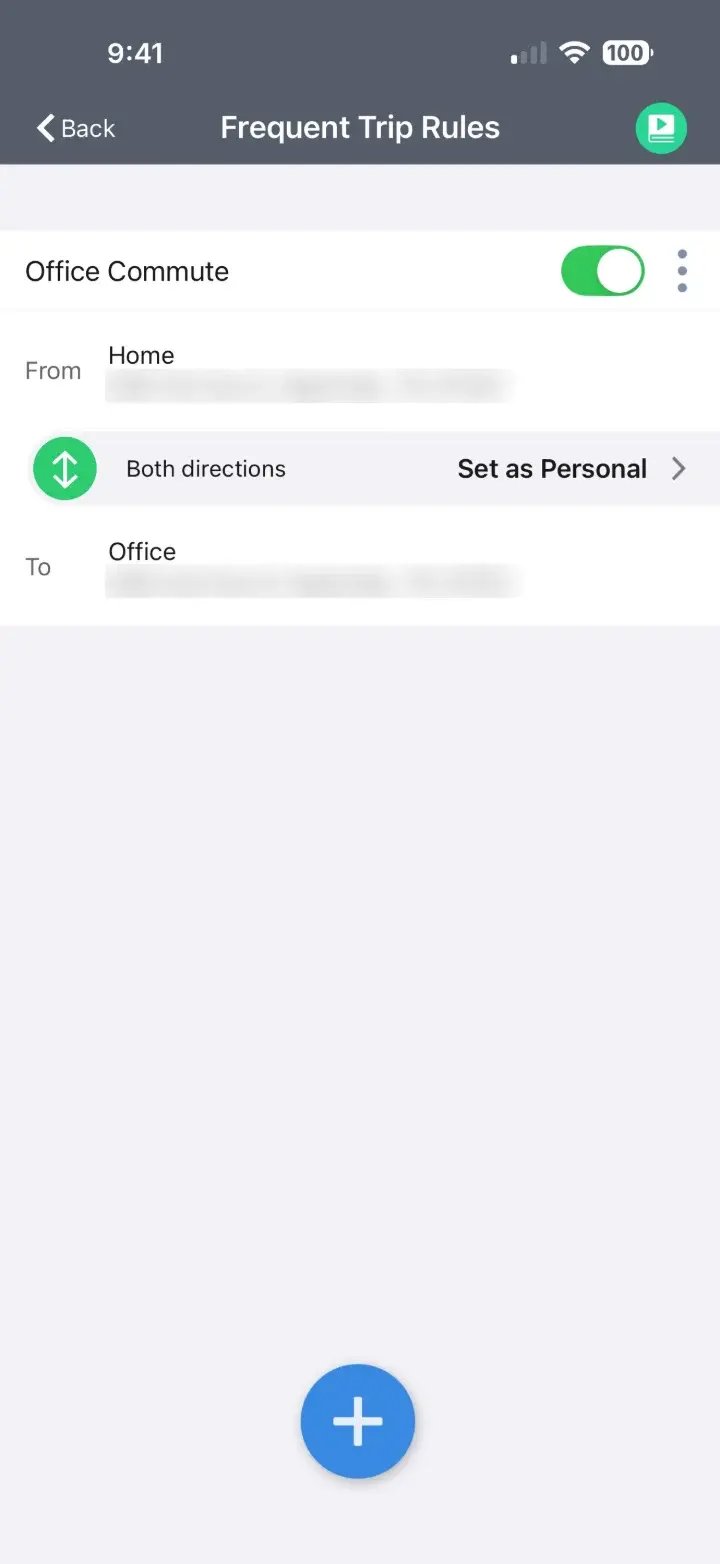
Commute rules: set once, applied to every trip.
One connected platform
The same records move through approvals, reporting and your HR and payroll systems.
Managers review submitted business mileage, check flagged details and use individual or selected approvals.
Explore approvals →Mileage, cost and exceptions by team, program and month.
Explore reporting →Employee data in from HRIS. Approved amounts out to payroll and expense.
Explore integrations →Mileage tracking FAQ
Privacy, programs, Canada and what changes for drivers and managers.
Read the complete mileage tracking guideYes. The same app and records support every method. FAVR uses the business miles for the variable rate, cents per mile multiplies them by your rate, an accountable allowance uses them to substantiate the payment and company-vehicle programs use them to separate business and personal use.
mLog is mBurse’s mileage tracking app for employers with 5 or more drivers. It captures trips automatically on iOS and Android, lets drivers mark trips business or personal, keeps personal trips private and sends approved business miles to your reimbursement program.
mLog is included in mBurse plans. Basic service fees start at $14 per driver per month for cents per mile, $28 for an accountable allowance and $30 for FAVR, with a minimum of 5 drivers.
Yes. The app records trips in kilometers and can pay them at the CRA's reasonable per-kilometer rate: 73 cents for each driver's first 5,000 km in 2026 and 67 cents after that, with 4 cents more in the Northwest Territories, Nunavut and Yukon. Each driver's kilometers are counted toward the 5,000 km tier through the year, and U.S. and Canadian drivers can be managed on one platform.
Yes. Many organizations start with mileage tracking and approvals on their current method, then move to FAVR, cents per mile or an accountable allowance when they're ready. Your records carry over.
No. Employees can set business hours, choose tracking settings and pause tracking. Those capture controls are separate from submission: business trips outside normal hours can still be submitted and accepted. Personal trips are not shared with managers.
Submitted business trips include dates, start and end points, mileage, purpose, and any notes or tags. Personal trips stay private. Access follows program roles and reporting lines. A night or weekend submission may be highlighted for review; its timing alone does not make it a personal trip.
Yes. Employees can add trips the app didn't capture, correct start or end points and change a trip's classification. Edits are recorded, so approvers can see what changed.
Commute trips between home and the regular work location can be excluded automatically, based on your policy, so they never reach approval or payroll.
Get started
Pick what you need. We’ll build a quote around it and confirm your launch timeline.
Teams that run their vehicle programs on mBurse

Tell us about your team first, then choose what you need. We’ll contact you to discuss your program and next steps.
Step 1 of 2 · Your team
Thanks. We’ve received your program request and will contact you to get started. You can also choose a time to talk below.
Book a call →