Mileage logs are necessary when employers reimburse employees for business driving, but not every mileage log creates the same level of cost control.
Manual mileage logs, spreadsheets, and self-reported entries can increase reimbursement costs, create administrative work, and make it harder to verify whether reported miles match actual business activity. A stronger mileage capture process can help employers improve documentation, reduce errors, and gain better visibility into mobile workforce activity.
Quick Answer: How Can a Mileage Log Cost a Company Money?
A mileage log can cost a company money when employees estimate miles, submit incomplete records, duplicate trips, round mileage up, or use a manual process that managers do not have time to review.
The cost is not only the reimbursement amount. Employers should also consider manager review time, payroll or expense processing, delayed approvals, missing documentation, poor visibility into business travel, and the risk of reimbursing mileage that is not clearly tied to business activity.
What Types of Mileage Logs Do Companies Use?
Companies usually rely on one of four mileage logging methods:
Spreadsheets: Employees manually enter trip dates, locations, purpose, and mileage into Excel, Google Sheets, or another spreadsheet.
Expense system mileage entries: Employees add mileage as part of an expense report. This may improve workflow, but it can still rely on manual trip entry.
Paper or PDF mileage logs: Employees record mileage manually and submit the log for review.
Mileage tracking apps: Employees use a mobile app to capture trips, classify mileage, submit records, and support reimbursement approvals.
The cost of a mileage log depends on how much manual entry is required, how much review managers must perform, and how much visibility the system provides into business mileage.
Why Manual Mileage Logs Can Increase Cost
Manual mileage logs depend heavily on employee recall and manager review. Even when employees are acting in good faith, manual processes can create estimates, missing trips, duplicate entries, delayed submissions, and inconsistent documentation.
IRS recordkeeping guidance says timely kept records have more value than records created later when accurate recall is weaker. Mileage records should generally show details such as mileage for each business use, total miles for the year, date of use, destination, and business purpose.
For employers, weak mileage documentation can increase both reimbursement cost and administrative cost.
1. Employees May Estimate Mileage
Manual trip entry often depends on memory, map estimates, or end-of-week reconstruction. Even small rounding differences can become expensive when repeated across many employees and many trips.
2. Managers May Not Have Enough Visibility
A manager may approve a mileage report without knowing whether each trip matches a customer visit, job site, service call, or approved business activity. Without clear visibility, mileage approval becomes more of an administrative task than a meaningful review.
3. Manual Entry Creates Error Risk
Spreadsheets and manual forms can include typos, duplicate entries, missing destinations, incorrect trip purposes, or mileage totals that do not match the supporting details. These errors can delay reimbursement and make the program harder to audit.
Why Mileage Visibility Matters
Higher reported mileage is not automatically a problem. It may reflect more sales calls, service visits, customer meetings, deliveries, inspections, or other productive business activity.
The problem is not knowing the difference.
Employers should be able to review whether mileage aligns with job duties, territory expectations, customer activity, service activity, or other business outcomes. A mileage process that integrates with reimbursement workflows, expense systems, or CRM data can make that review easier.
The goal is not to micromanage employees. The goal is to understand whether mileage reimbursement is tied to legitimate business travel and whether the company has enough visibility to manage cost.
How Automated Mileage Capture Can Improve Cost Control
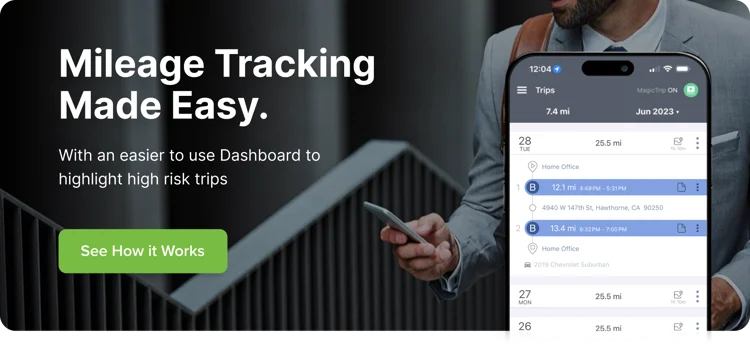
Automated mileage capture can reduce manual entry, improve record completeness, and make reimbursement review easier. A mileage tracking app can help employees capture trips, classify business and personal mileage, submit records, and support manager approval.
Employers should evaluate mileage tracking tools based on:
- Ease of use for employees
- Privacy controls
- Business and personal trip classification
- Approval workflows
- Exception reporting
- CRM or expense-system integrations
- Support and reliability
Automation does not replace policy. Employers still need clear rules for what counts as business mileage, when trips should be submitted, how exceptions are reviewed, and how employee privacy is protected.
FAQs About Mileage Log Costs
How can a mileage log cost a company money?
A mileage log can cost money when employees estimate miles, submit incomplete records, duplicate trips, round mileage up, or use manual processes that require extra manager review.
Are spreadsheet mileage logs a problem?
Spreadsheets can work for simple teams, but they are more prone to manual entry errors, delayed submissions, missing trip details, and limited visibility than automated mileage capture tools.
What should a mileage log include?
A mileage log should generally include the date, business destination, business purpose, mileage for each business trip, and total mileage records needed to support reimbursement.
Can automated mileage tracking reduce reimbursement cost?
Automated mileage tracking may help reduce reimbursement cost by improving trip capture, reducing manual errors, flagging unusual mileage, and giving managers better approval visibility.
How does mileage tracking connect to productivity?
Mileage tracking can help employers see whether mileage aligns with customer visits, job sites, sales activity, service work, or other business outcomes. The goal is to connect reimbursement to legitimate business activity.
What should employers look for in a mileage tracking app?
Employers should review ease of use, privacy controls, trip classification, approval workflows, exception reporting, CRM or expense integrations, support, and reliability.
Review the Cost of Your Mileage Log
Not sure whether your current mileage log is helping or hurting cost control? mBurse can help you compare manual mileage logs, spreadsheets, mileage tracking apps, reimbursement workflows, CRM integrations, privacy controls, and reporting needs to identify where your mileage process may be creating unnecessary cost or administrative work.